BETA – for testing
This app is new. It may have bugs. Use at your own risk, see the notes. Panoptes is a private hobby project and not made by BYD.
Panoptes app: your car on your phone
What is it? A free phone app that talks to Panoptes in your car.
Who is it for? Everyone who has Panoptes in the car and wants to see and control the car from the phone too.
BETA 0.4.8 · Android 8 or newer · needs Panoptes in the car
New in 0.4.8
- Faster destinations: favourites from the car and chargers nearby as destination or stop; chargers along the route as a stop.
- Safe: you confirm key owner actions with your fingerprint.
- Needs Panoptes 0.1.38.10 in the car.
New in 0.4.7
- Route with stops on the way: stops from the search, up to 5. Add with “+”, reorder with ↑/↓, remove with ×. In the app and in the web app.
New in 0.4.6
- Like in the car: light or dark and the map now come from the settings in the car. Your own choice only applies on this device, “Wie im Auto” (like in the car) resets it. Light/dark only applies in the web app.
- Web app: “Count anonymously” to switch on, off by default. More in the privacy policy.
- “PC anmelden” (sign in a PC) for the owner phone. It only appears once the car reports PC access and it is switched on.
- Unpairing now reliably removes the pairing in the car, also on the road.
New in 0.4.5
- Trips on the map: with the route actually driven, if the car reports it. Otherwise, honestly, the straight line.
- Honest remote climate: running according to the car, the BYD cloud or the command. “Heizen stoppen” (stop heating) only appears when something is really running.
- Owner phone: pair devices with a code and QR, allow requests with a check number, remove new devices, guard and settings right on the phone. Every change needs your fingerprint.
- Community: the WhatsApp group right from the app.
- Needs Panoptes 0.1.38.8 in the car for the owner part, the route and the stop button. With older Panoptes everything else works as before.
New in 0.4.3
- Plan a route on your phone: enter a destination. The app shows arrival time, battery on arrival, charging stops, cost and free chargers.
- Send it to the car: one tap sends exactly this plan to the car. In the car you tap “Route übernehmen?” (take over route) once.
- On the road: if it gets tight, the app suggests a better charging stop.
- Also in the iPhone web app. The phone only sends the destination. Where the car is still comes from the car, as before.
New in 0.4.2
- Easier pairing: the app explains that phone and car don't need to be on the same Wi-Fi. If it doesn't work, “Why doesn't pairing work?” tells you in plain words what's wrong and what helps.
- Tip: to pair on the go, switch on “Handy-App unterwegs nutzen” (use the phone app on the go) once in the car (Settings → All settings, with older Panoptes under “System”).
New in 0.4.1
- Updates right from the app: update Panoptes and the launcher with one tap, always asks first, never automatic. This works from Panoptes 0.1.38.2 and if you switch on the “Update” permission for your phone in the car (Settings → All settings → Paired devices).
- Paths to the car settings now match Panoptes 0.1.38.
New in 0.4
Applies to the Android app 0.4.0-beta1 and the web app. “Set up launcher” needs Panoptes 0.1.38 in the car.
- Built like Panoptes in the car: seven areas, namely Home, Controls, Cameras & guard, Trips & charging, Rules, Apps & display and Settings.
- Favourites: pin frequent commands to the top with the star.
- Pet mode from your phone. Only an aid, no guarantee, you stay responsible.
- “What does the cluster show?” chosen from your phone (own permission “Tacho”).
- Set up the launcher from your phone (own permission “Launcher”, off by default).
- Files between phone and car (own permission “Dateien”). On the road: send at most 10 MB, fetch at most 1 MB.
- Log “who did what?” on your phone.
- The new permissions are off by default. You switch them on in the car under “Gekoppelte Geräte” (paired devices).
- Five languages. The language follows your phone and can be changed under “Apps & display”.
To be honest: for rules the app only shows the names so far, not yet the “When … / Then …” of each rule. If something does not work, please let us know.
What already works
Everything at a glance
Battery, range, lock, climate, tyres and location.
Preheat and seat heating
Warm up the car before you get in.
Lock, unlock
Unlocking only with your fingerprint, confirmed every time.
Camping and “charge at home”
With one tap from your phone.
Live picture, also on the road
The car's camera live on your phone. Still beta: the picture may stutter.
Dashcam videos
Watch clips from the car and save them on your phone.
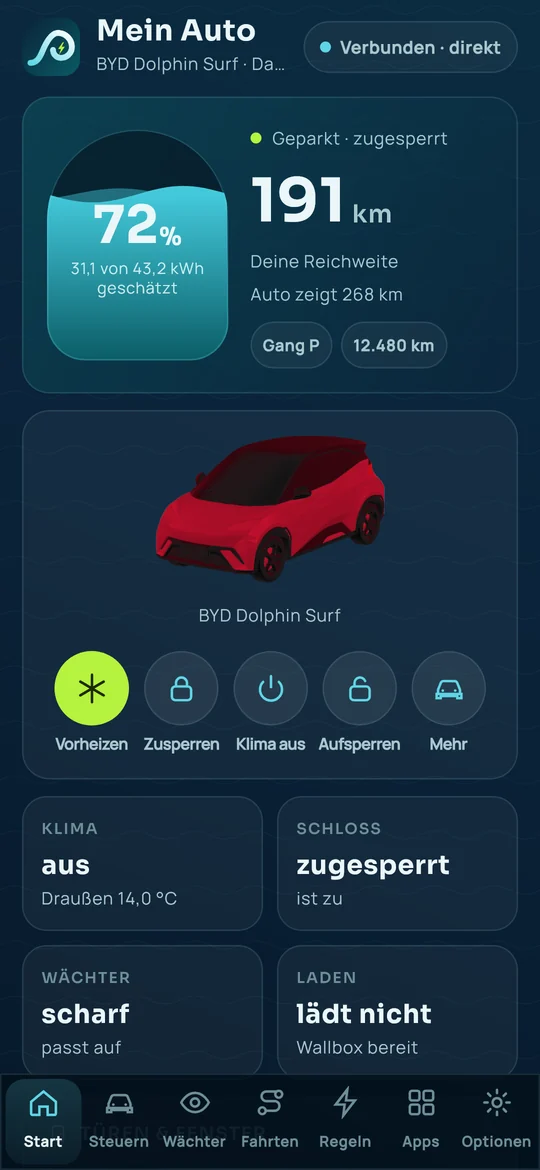
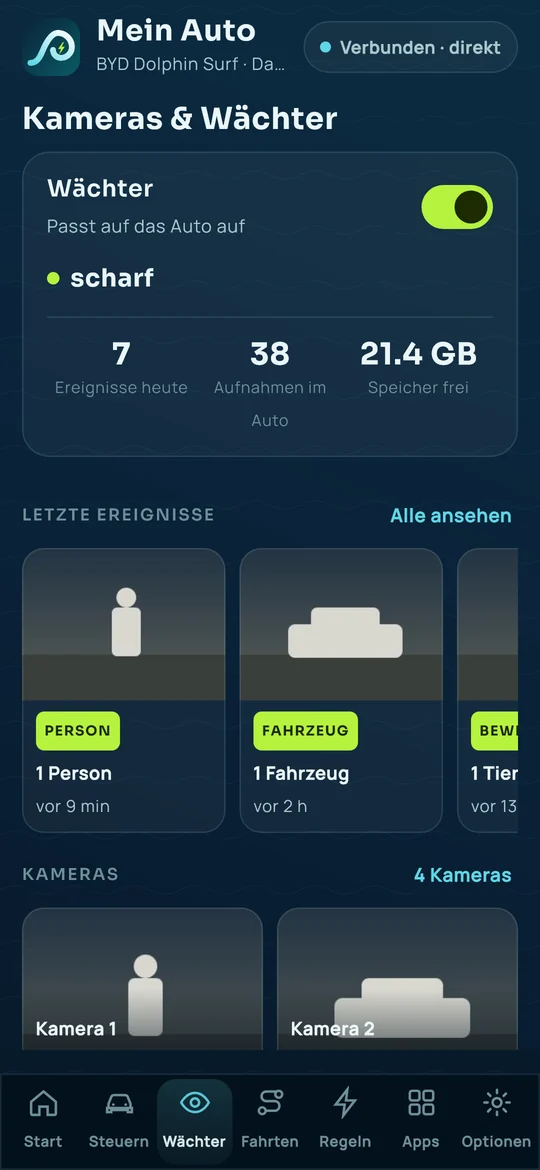
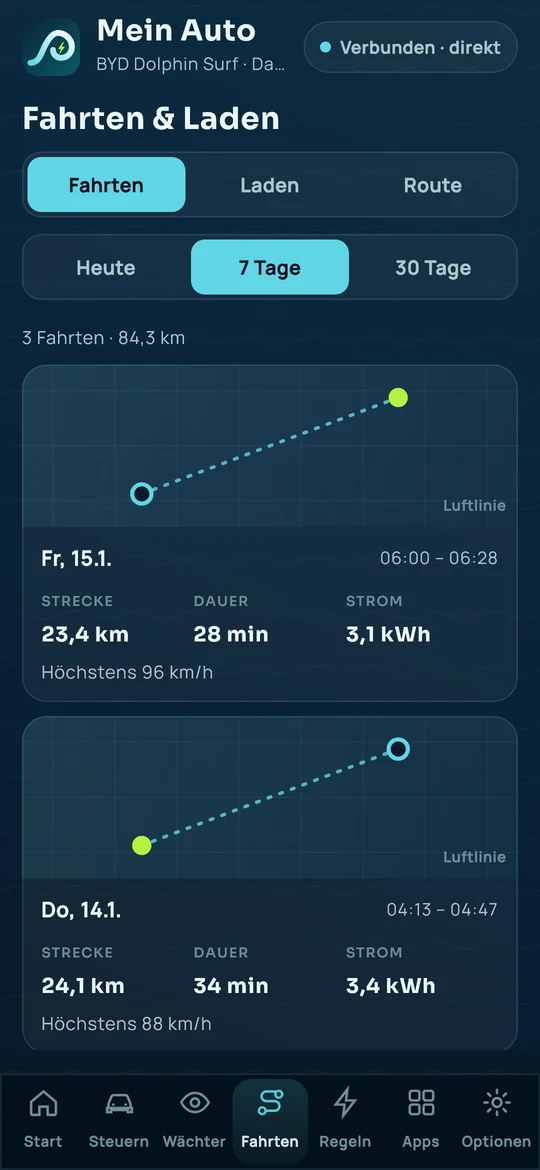
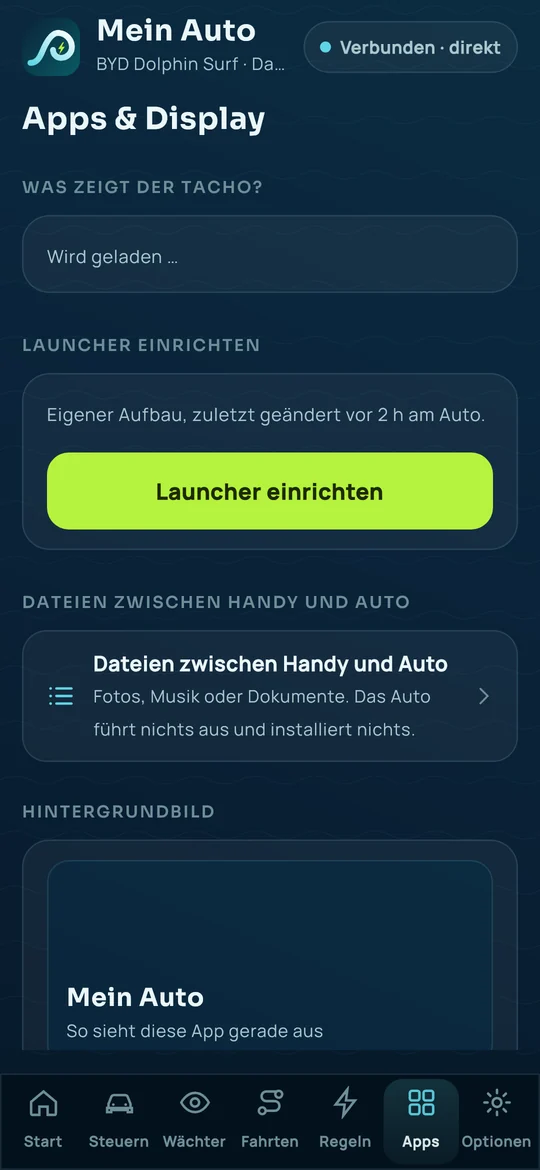
The pictures show sample data, not a real car, with the app in German; the camera pictures are drawn. Car picture based on “2023 BYD Seagull” by Nazh Design, CC BY 4.0, modified.
On the road: the app also connects without the car's Wi-Fi, over the internet and encrypted. How this works is explained in the privacy policy.
Not yet checked on a real car
Controlling the wallbox and sending a route to the car are built into the app. They only appear if your car allows it. We have not yet tested them on a real car.
Live picture on the road: the car needs Panoptes 0.1.25.1 or newer, and you have to switch on the “Kamera” (camera) permission for your phone in Panoptes. The picture is deliberately economical (about 3 MB per minute) and ends after 15 minutes. In the browser the live picture does not work on the road yet, only in the app.
How to install the app
- Download the file on your phone.Tap the button above on your phone. The file is called
panoptes-app-0.4.8-8c29eaa.apk. - Open it and tap “Allow install”.Android asks whether you want to install from this source. Say yes.
- Open the app and scan the QR code.Panoptes in the car shows the QR code under Settings → All settings → “Pair a device”. Done.
You need no passwords and no BYD login for this.
Counting? On first start the app asks once whether it may count anonymously. It is off by default, and “No” is just as easy as “Yes”. If you agree, it reports at most once a day, only a random identifier and the app version. You can switch it off at any time under “Diese App” (This app). More in the privacy policy.
Updates: the app checks at most every 6 hours whether there is a new version. It sends nothing about you, and we do not log this check (privacy policy).
Check that the file is genuine (advanced)
Checksum (SHA-256): 2d91005676f8140573aa718114a5989171c8db318d17c0c8f8c372fe1107a505
Signing certificate (SHA-256): 885b67e79212637080c8ed1934014717b2670142c59a3ba502dbe455d36123c1
Found a bug? A wish?
Write to us via the wish box on the start page and pick “Phone app” there. Thanks for testing!
For iPhone: Panoptes as a web app, without the App Store
BETA. The web app runs in Safari and needs iOS 17 or newer. In the car, “Handy-App unterwegs nutzen” (use the phone app on the road) must be switched on (Panoptes → Settings → All settings).
- Open the page.Open
panoptes.serveone.atin Safari on your iPhone. - Add to Home Screen.Tap Share at the bottom (square with arrow), then “Add to Home Screen” and “Add”. Close Safari and open Panoptes from the Home Screen.
- “Pair a device” in the car.Panoptes → Settings → All settings → “Pair a device”. A QR code appears.
- Scan the QR code.In the web app tap the QR code button and allow the camera. Do not scan with the normal Camera app.
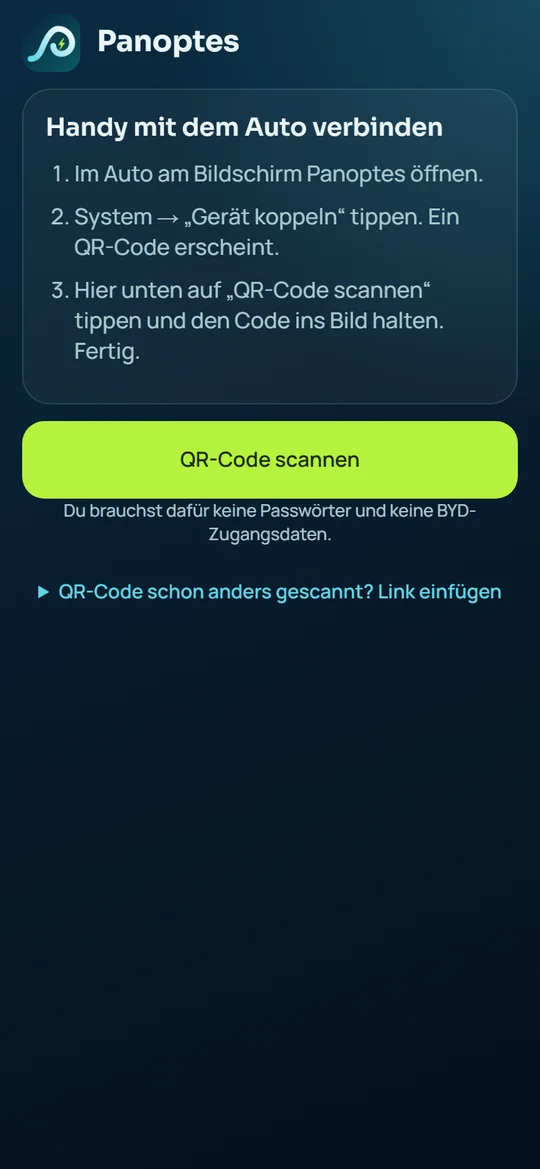
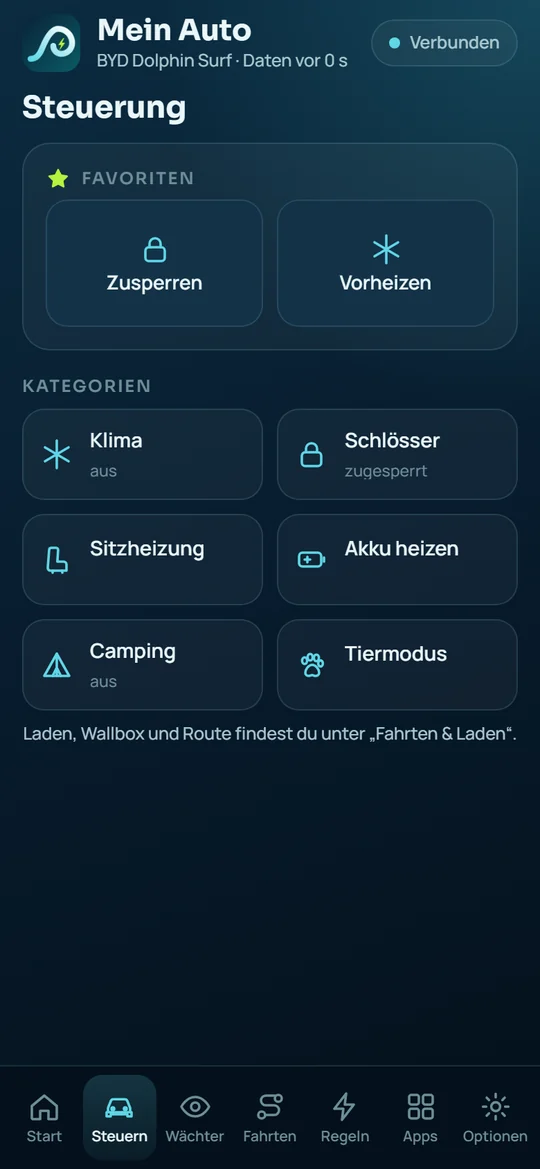
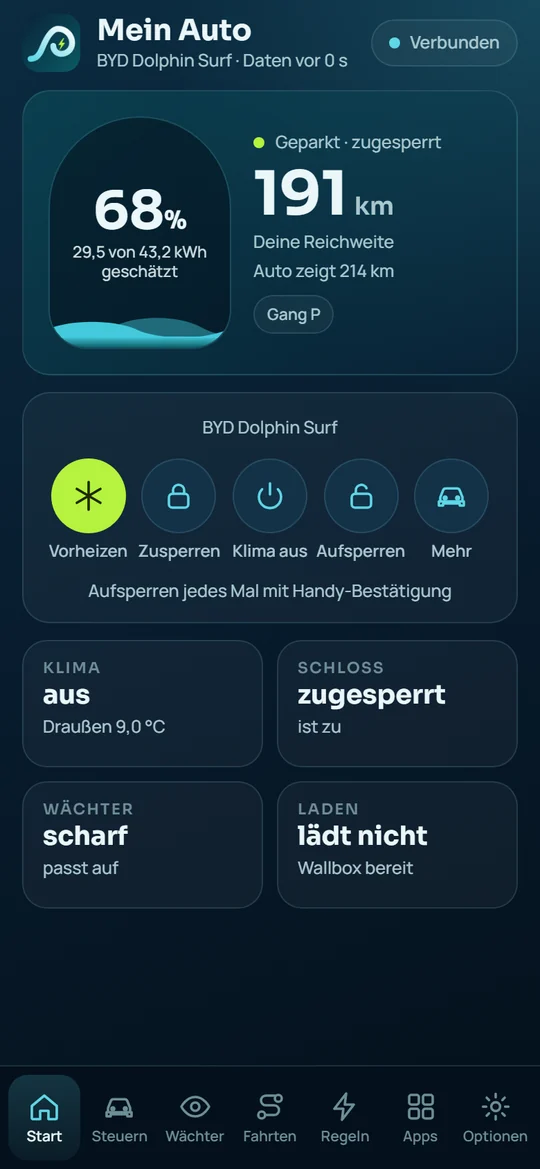
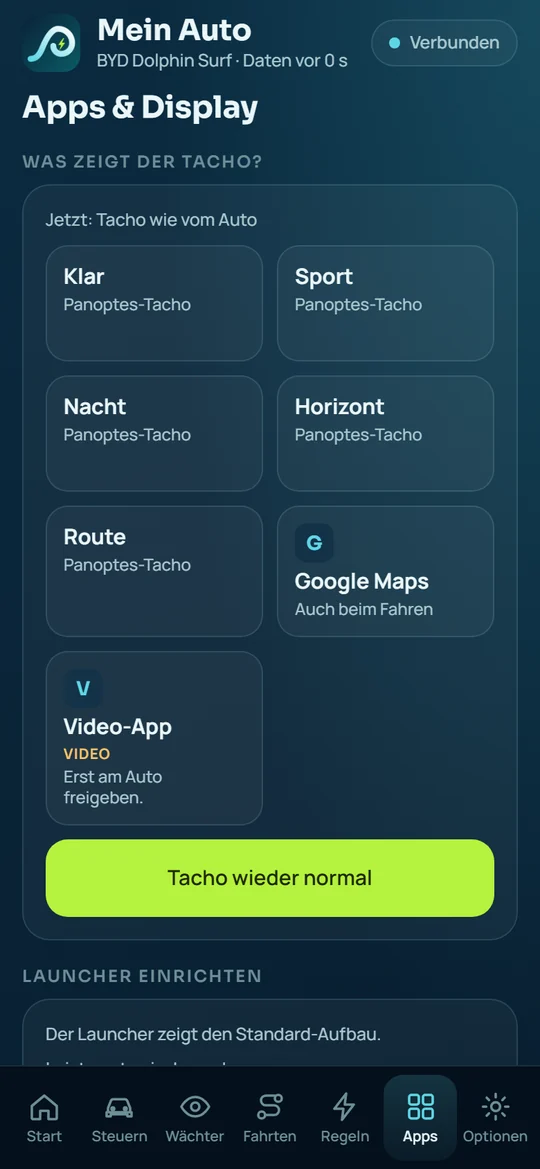
The pictures show sample data, not a real car, with the app in German. Car picture based on models by Nazh Design, CC BY 4.0, modified; the sources are listed in the web app under “Hinweise und Lizenzen”.
To be honest:
- Unlocking in the web app is prepared (off by default). In the Android app it works with your fingerprint.
- Clips and live picture pass encrypted through our bridge. The server cannot read them and does not store them.
- Notifications on the iPhone are not available yet. They are prepared, but not yet tested.
- Only in the Android app: doors and windows, tyres, location map and warnings on the home page. For the launcher the web app only sets up the bottom bar.
- A separate iPhone app is not available for now. The web app has the same layout with seven areas.